Construction OS · Industry OS
Site execution, work packages, BOQ, procurement, and project delivery.
WBS, BOQ, work packages, measurements, procurement, site records, quality, and cost control on one project graph.
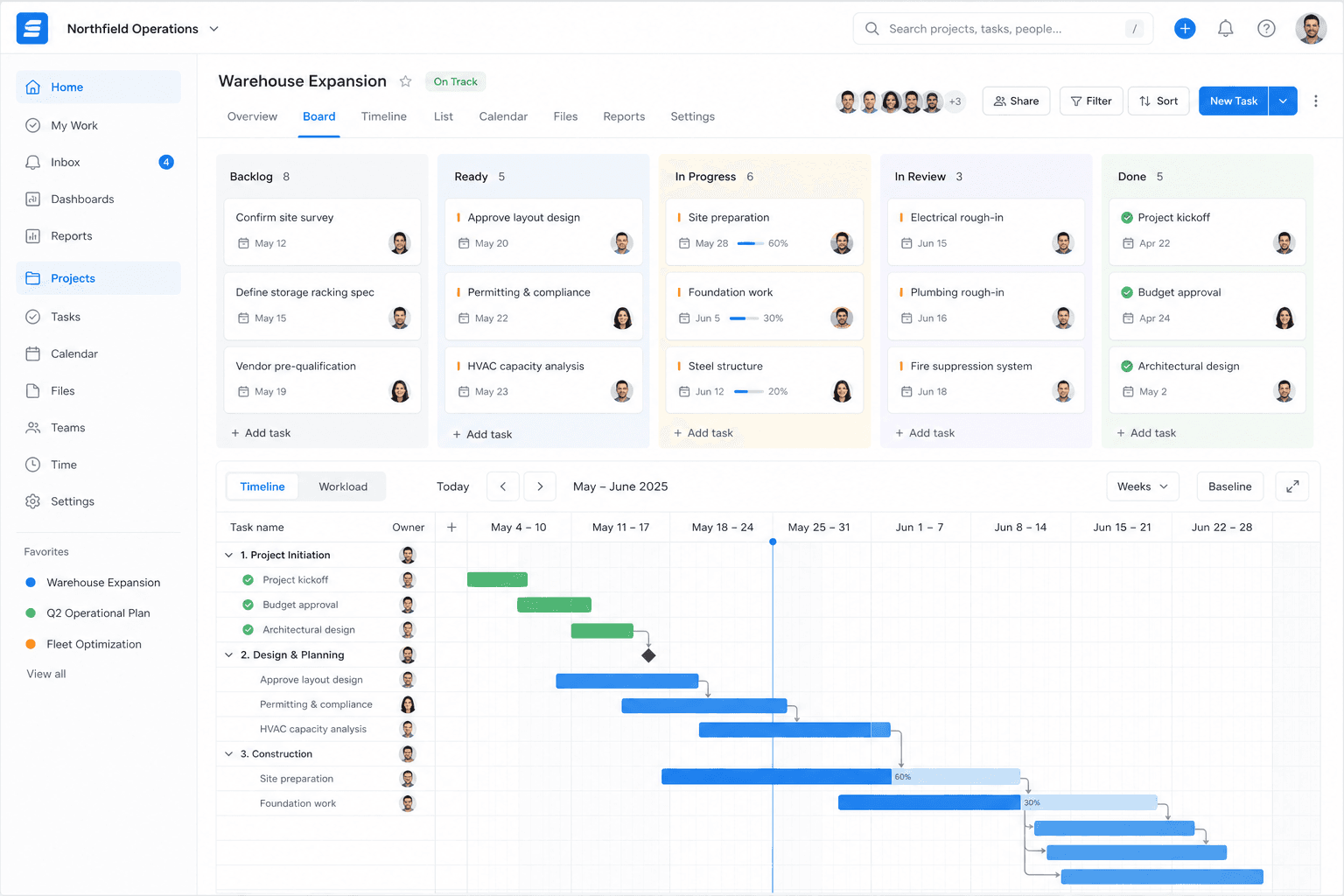
Construction OS — WBS, BOQ, work packages, measurements, procurement, site records, quality, and cost control.
The problem
What construction teams struggle with
- Project overruns
- Procurement delays
- Site data on paper
Construction OS
What Construction OS includes
Project setup & WBS
Project details, site locations, and a work breakdown structure.
BOQ
Bills of quantities with BOQ lines linked to the work.
Work packages & measurements
Work packages with verified work measurements feeding progress.
Schedule
A schedule baseline and a forecast finish from the WBS, dependencies, and progress.
Budget & cost control
An approved budget baseline, cost codes, and cost entries against it.
Procurement
Requisitions, RFQs, purchase orders, goods receipts, and site stock.
Site records
Daily site records, site issues, RFIs, and field evidence capture.
Quality
Quality checklists and defect tracking.
Alerts
Threshold alerts on project health.
Project workspace
One workspace per project with shared tasks, documents, approvals, and issues.
Workflow
How the work flows
- 1
Set up the project, WBS, and BOQ
- 2
Baseline the schedule and budget
- 3
Procure materials and record site progress
- 4
Control cost, quality, and risk
AI
AI in Construction OS
Construction Copilot
Answers grounded in the project’s own data.
Project intelligence
Cost, schedule, risk, procurement, and resource intelligence.
Site-photo analysis
Field evidence analysed and reported as observations, never as facts.
Approved AI actions
AI-proposed actions run only after a person approves them, with an audit trail.
The shift
One workspace instead of a tool pile
Run planning, procurement, site execution, and cost control on one project graph, with Construction AI.
Key capabilities
Woxox products in this solution
Start with the products you need. Add Finance, HRMS, or AI later — same workspace, same identity, no rip-and-replace.
Outcomes
What changes when the stack consolidates
On-time delivery
Controlled spend
Shared project truth
FAQ
Construction OS: questions buyers ask
What is construction management software with BOQ and WBS?
Construction OS by Woxox sets up each project with a work breakdown structure (WBS), links bills of quantities (BOQ) to the work, and tracks work packages, measurements, schedule, budget and cost on one project.
How do I track site measurements against the BOQ?
In Construction OS, verified work measurements are recorded against work packages and feed progress, while BOQ lines stay linked to the same work. Budget, cost codes and cost entries sit beside them, so you can compare planned and actual cost.
Does Construction OS handle procurement?
Yes. Requisitions, RFQs, purchase orders, goods receipts and site stock are part of the same project workspace.
Can site teams log daily records, RFIs and defects?
Yes. Daily site records, site issues, RFIs, field evidence, quality checklists and defect tracking are included.
Does Construction OS use AI?
Yes, with a person in control. The Construction Copilot answers from the project’s own data, site-photo analysis is reported as observations, and AI-proposed actions run only after a person approves them, with an audit trail.
How is Construction OS priced?
Construction OS is an Industry OS add-on to the Woxox Professional or Business plan. Contact Woxox for a quote.
Industries
Woxox in other industries
Woxox Business OS
Run Construction on one Business OS
Book a private demo or talk to our team — replace disconnected tools with Woxox Business OS.