Documents · Product
File Manager
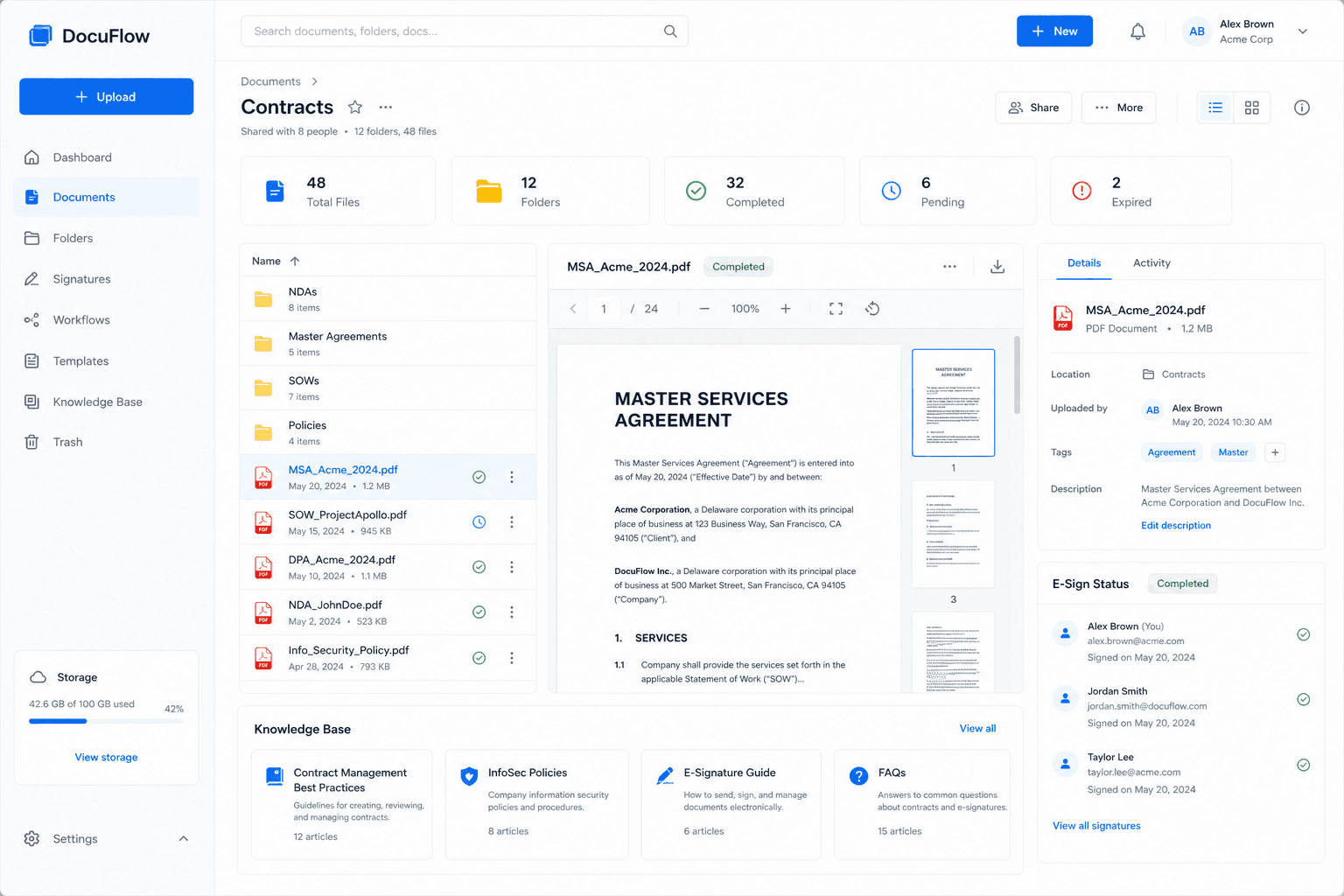
Keep workspace files and folders, write documents in the editor, generate agreements, and send them for signature with Doc Sign.
Why it exists
Workspace files, folders, documents, and agreements.
The problem
Documents are scattered across drives and email attachments with no link to the work.
Who it is for
Every team that stores, drafts, and shares business documents.
Capabilities
What File Manager does
Files & folders
Organise workspace files in folders.
Document editor
Write and edit documents inside the workspace.
Generate agreements
Generate agreements inside the workspace.
Notes
Team notes alongside your files.
Send for signature
Hand documents to Doc Sign for e-signature.
Workflow
How the work flows
- 1
Draft a document or generate an agreement
- 2
Store it in the right folder
- 3
Send it for signature
- 4
Keep the signed copy with the work
One Business OS
How File Manager connects to Woxox
File Manager runs on the same login, database, permissions, and workflow engine as every other Woxox product — no sync jobs between separate tools.
Woxox Business OS
See File Manager on your own workflows
Book a private demo or talk to our team — replace disconnected tools with Woxox Business OS.